
MCP vs. API: How AI Models Communicate vs. People
Model Context Protocol (MCP) is a standard way for LLM applications to interact with data sources, which are called tools. Instead of wiring custom integrations for every service or vendor, MCP provides a clean, consistent interface so models can discover and call capabilities at runtime. Think of it as “APIs for AI agents”—structured, predictable, and model-agnostic.
What Is Model Context Protocol (MCP)?
MCP (Model Context Protocol) is an open protocol introduced by Anthropic to give AI models a safe, standardized way to make structured calls to external tools and services running on a server. It’s similar to an API (Application Programming Interface), but architected for AI.
An API is designed for developers—it’s the way software systems communicate with each other.
MCP is designed for AI models—it provides a safe, structured way for large language models (LLMs) like GPT, Grok, Gemini, or Claude to interact with external systems and tools.
Think of MCP as USB-C for AI apps. It standardizes how LLM applications exchange context, tools, and data with external services. MCP rides on plain JSON-RPC 2.0 messages and defines four roles:
- MCP Host – The main application or server that orchestrates everything and decides when models and tools are used. This is typically something like AWS Bedrock or an n8n automation engine. This layer coordinates the MCP client and the LLM.
- MCP Client – The component that communicates with an MCP server on behalf of the host (think of it as an adapter or connector). This is what the LLM uses. Think of the LLM as the brain, and the MCP client as the phone it uses to call tools.
- MCP Server – A service that exposes tools, data, or capabilities to AI models via MCP. These can be standalone or third-party servers (e.g., GitHub, Google Docs, Figma).
- Transport Layer – How MCP messages move between components (stdio, HTTP, WebSockets, etc.).
An MCP server, therefore, is a standards-compliant service that can expose resources, prompts, and tools to any MCP-aware AI application. These tools can include coding standards enforcement, architectural guidelines, process compliance checks, design templates (e.g., a Figma MCP server), or best practices—all integrated into existing development and productivity workflows.
How Does MCP Work?
Core MCP Components & Workflow
- A user prompts an AI application or agent to perform a specific task, such as retrieving a document, validating data, or creating an artifact based on certain requirements.
- The AI application (client side), already configured with MCP servers, identifies the appropriate tool and executes it using data provided by the user.
- The MCP server executes the request initiated by the AI application and responds with structured data.
- Structured data, using JSON-RPC, flows back to the AI application, which interprets the results and displays information to the user.
- A simple example is a user chatting with an AI agent and asking about the weather in their hometown. The agent finds a weather MCP server and runs a lookup tool with parameters provided by the user (e.g., ZIP code). When the MCP server responds with JSON-RPC data, the agent formats the response and displays the results to the user.
Because everything flows through the protocol, new tools (such as a “branding-tone validator” or a “budget-schema checker”) can be added without rewriting host integrations. Tools and their schemas (definitions of inputs and outputs) are dynamic and can be updated without building new integrations or modifying existing ones.
Benefits of Using MCP
- Reduced hallucinations
- Increased AI utility and automation
- Easier connections for AI systems
MCP vs. RAG
MCP tools and RAG solve different problems. RAG (Retrieval-Augmented Generation) focuses on giving models better knowledge by pulling in relevant documents at prompt time, typically using vector-based databases and data conversion techniques (e.g., converting PDF text into vector representations). MCP tools, on the other hand, focus on giving models abilities—allowing them to take actions, query information systems, run real operations, or execute workflows.
RAG answers the question, “What should the model know right now?”
MCP tools answer, “What can the model do right now?”
In practice, they work best together. RAG grounds responses in your data, while MCP tools allow the model to take meaningful action using available systems and tools.
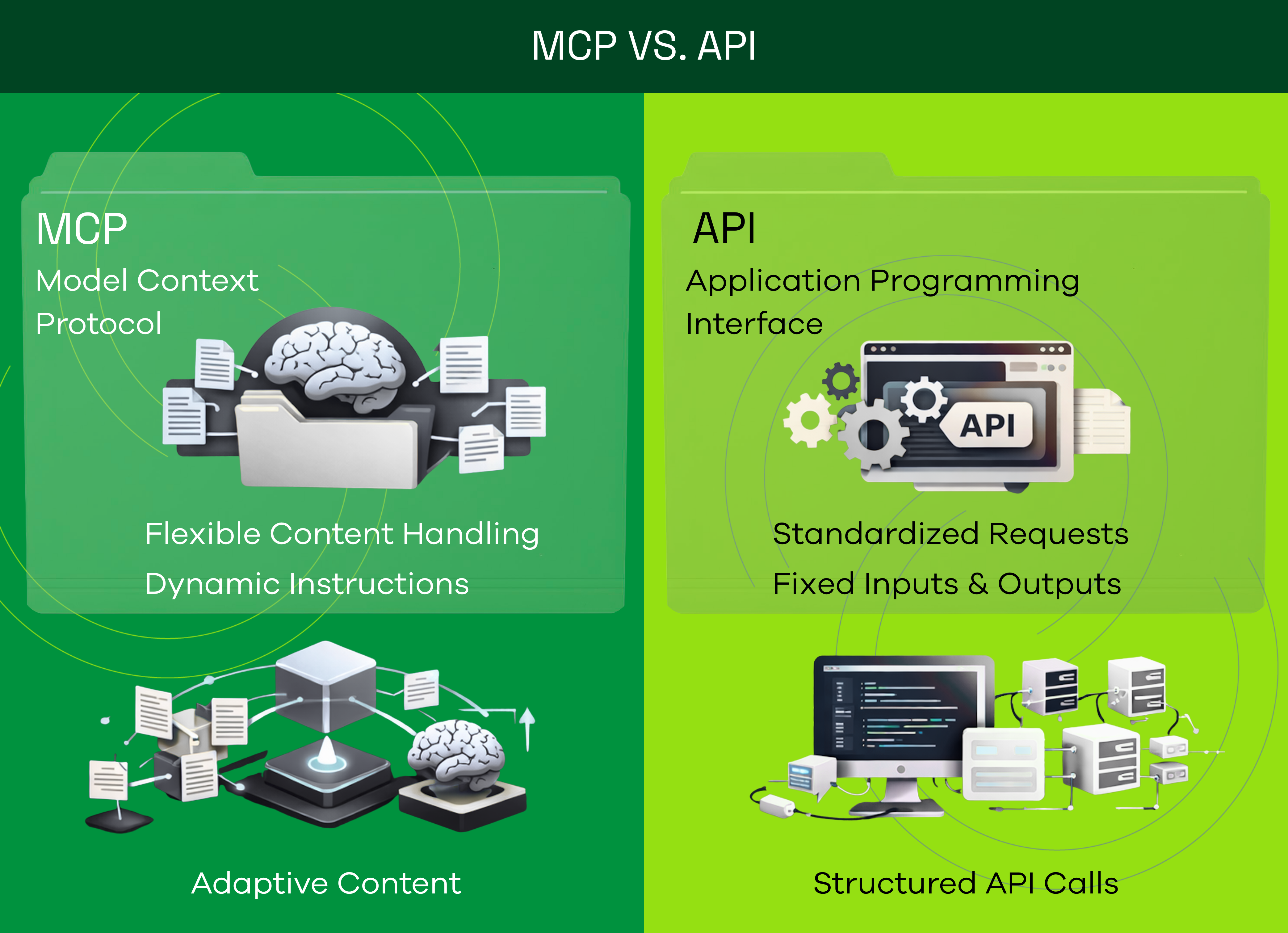
MCP vs. API
APIs can be used to call servers and fetch data. For example, calling GET /api/project/1 retrieves information about a specific project. Typically, a REST client makes a request to an API endpoint (e.g., /api/project) and passes parameters to retrieve the desired data.
For instance, to get weather data, a user or application would call the API directly to fetch the information.
Using MCP, a tool can return the same data as the API. When a tool is invoked by an LLM, the same server-side code can be executed, but the response is returned in a structured way designed for AI consumption. This invocation isn’t performed by a programmer, but dynamically by an AI agent or LLM, based on available MCP server tools and the user’s request context.
MCP Security and Privacy
While MCP enables powerful capabilities, it also broadens the attack surface. Security and privacy must therefore be treated as first-class concerns in AI applications that use MCP.
Key considerations when working with MCP-enabled applications:
- Prompt Injection / Context Manipulation
- Malicious input attempts to trick the model into executing unintended actions.
- Malicious Tools / Tool Description Poisoning
- Attackers craft tools or metadata that appear legitimate but contain hidden instructions.
- Session & Identity Weaknesses
- Poor authentication or predictable sessions can allow attackers to hijack tool calls. These risks mirror traditional API security issues.
- Credential & Data Leakage
- Overly permissive access can expose sensitive data or API keys if proper controls are not in place.
- Privilege Escalation & Server-Side Risks
- Poor input validation may lead to command injection or server compromise, similar to classic XSS or SQL injection attacks.
These risks can be mitigated through best practices:
- Use allow-lists for approved tools and deny everything else.
- Enforce strong authentication, secure sessions, and scoped tokens.
- Validate and sanitize all tool inputs and restrict tool privileges.
- Audit tool metadata and descriptions, assuming adversarial input.
- Log and monitor all tool calls and contexts for anomalies.
- Require human approval for sensitive actions when possible.
MCP Deployment Use Cases
Developer Use Case: Automatically Check Code Standards
Many companies maintain coding guidelines covering naming conventions, error handling, and approved libraries. These rules often live in Confluence pages, Google Docs, or Slack threads.
When a developer pushes code or opens a pull request, an MCP server can automatically check the commit:
- Are naming conventions followed?
- Are forbidden libraries used?
- Is error logging missing?
If something is off, MCP can flag it directly in the IDE, CI pipeline, or Slack via an AI agent. There’s no need for manual review or reliance on memory. Think of it as a friendly robot reviewer that always remembers your company’s style guide.
Project Management Use Case: Validate Project Scopes
When creating a new project scope in a project management tool, companies often require specific elements such as business objectives, estimated hours, and clear deliverables.
Traditionally, leadership reviews these scopes and provides feedback like, “You forgot to add KPIs,” or “This dependency should reference X, Y, and Z.” With an MCP server, these checks happen automatically.
The MCP server:
- Detects the new scope
- Compares it against internal policy documentation
- Flags missing or unclear elements
- PMs receive instant feedback, and organizational processes no longer rely on tribal knowledge.
Bringing It All Together
The flexibility of MCP allows it to integrate across systems and teams through LLMs:
- Marketing: Enforce brand voice on landing pages or email copy
- HR: Ensure job descriptions follow inclusive language guidelines
- Finance: Validate budget submissions against approved cost-center rules
If there’s a document or checklist that defines “how we do things,” MCP can validate it in real time, directly within the tools your team already uses.
MCP servers don’t tell people what to do—they simply check whether work aligns with your playbook. No more, no less.
By leaning on an open standard, organizations avoid vendor lock-in, keep integrations lightweight, and gain an always-on assistant that understands their policies without slowing teams down.